
Create Stunning Text Art on Photos
Overview
Writing text Only Photo now is a mobile application designed for users who want to enhance their text with elegant typography and visual design. Available exclusively on the iPhone platform, the app focuses on transforming plain text into visually compelling compositions that can be shared across social networks. Its primary purpose is to empower users to express themselves creatively through text overlays on images, offering tools for layout, styling, and background customization. The app is particularly suited for individuals who value aesthetic presentation in digital communication, such as social media content creators, personal bloggers, and visual storytellers.
By combining text with backgrounds, frames, and fonts, the app enables users to produce polished, shareable designs without requiring advanced graphic design skills. It supports both vertical and horizontal text alignment, making it adaptable to various design needs and cultural text traditions. The developer, 玉伶 杨, has focused on simplicity and visual appeal, creating a streamlined experience centered around typography. While specific user demographics are not detailed, the app’s design suggests it targets casual creators and users seeking a quick, intuitive way to elevate their messages with style.
Real-world usage scenarios include crafting captioned images for Instagram, designing quotes for Twitter/X, or creating personalized messages for digital greeting cards. The app’s focus on text-only compositions makes it ideal for users who want to emphasize messaging over complex image manipulation. Although performance metrics and system requirements were not specified, the app’s functionality appears optimized for the iPhone environment.
Key Features & Capabilities
- Typography Enhancement – Offers multiple font options to suit different design aesthetics, allowing users to select styles that match the tone of their message.
- Background Customization – Provides a variety of background choices, including solid colors, gradients, and image-based backgrounds, enabling users to set the mood for their text.
- Text Frame Options – Includes decorative and functional frames that can be applied to text to improve visual hierarchy and add artistic flair.
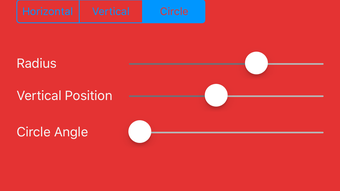
- Orientation Flexibility – Supports both vertical and horizontal text layouts, accommodating diverse writing systems and creative design preferences.
- Text Overlay Functionality – Allows seamless integration of text onto images, making it easy to produce visually cohesive compositions for social media or personal use.
These features work together to streamline the process of creating expressive text-based visuals. For example, a user might select a gradient background, apply a serif font for a classic look, and use a minimalist frame to highlight a quote. The app’s interface appears designed to guide users through each step, from background selection to final export. While specific export formats or sharing options were not detailed, the app’s purpose implies integration with social platforms and image-sharing services.
User Interface, Workflow & Performance
The user interface of Writing text Only Photo now is structured around simplicity and visual clarity. Navigation is likely intuitive, given the app’s focus on a single core function: text composition. Users can expect a clean layout with accessible tools for selecting backgrounds, fonts, and frames, arranged in a logical workflow. The design prioritizes ease of use, minimizing clutter to maintain focus on creative expression.
Workflow efficiency appears high, as the app is built around a linear process: choose a background, add text, adjust orientation, apply a frame, and export. This streamlined approach reduces the learning curve, making it suitable for users with limited design experience. However, the developer did not specify resource usage details, so exact performance behavior in terms of CPU or RAM consumption remains unknown.
Stability and responsiveness are likely optimized for the iPhone platform, given the app’s targeted environment. While no performance benchmarks were provided, general software behavior patterns suggest smooth operation under normal conditions. The app’s file size of 125.9 MB indicates a moderate footprint, consistent with a feature-rich mobile application. Overall, the experience appears tailored to deliver consistent results without unnecessary complexity.
Compatibility & System Requirements
Writing text Only Photo now is designed exclusively for the iPhone platform. The app is compatible with devices running the latest iOS versions, though specific version requirements were not listed. The installation size is 125.9 MB, which is typical for a mobile application with image and typography features. No additional hardware requirements were specified, suggesting it functions on standard iPhone models.
Platform compatibility information is limited to the iPhone, with no indication of support for iPad, Mac, or other Apple devices. The developer did not provide detailed system requirements, so users should rely on standard iOS installation practices. Exact performance details were not specified, but the app’s design implies it runs efficiently on supported devices.
Pros and Cons
Pros
- Simple, intuitive interface ideal for non-designers
- Supports both vertical and horizontal text for versatile layouts
- Wide range of background and frame options for creative expression
- Multiple font choices enhance typographic flexibility
- Free to download and use with no upfront cost
Cons
- Exclusive to iPhone; no support for other platforms
- Limited information on system requirements and performance
- No indication of cloud sync or cross-device access
- Export and sharing options not clearly defined
- App may lack advanced editing features for professional use
FAQ Section
Is Writing text Only Photo now available for Android?
The app is currently only available on the iPhone platform. There is no information about Android support at this time.
Is the app safe to download and use?
As a free app from the Apple App Store, it is distributed through a secure platform. No security risks were reported, but users should always download apps from official sources.
Does the app require an internet connection?
The app functions primarily offline, allowing users to create and edit text compositions without an active internet connection. However, sharing content may require connectivity.
How often are updates released?
Update frequency was not specified. Users are encouraged to check the App Store for the latest version.
What type of license does the app use?
Writing text Only Photo now is free to use with no subscription or in-app purchase requirements mentioned. It operates under a standard freemium model with no additional costs.
Final Thoughts
Writing text Only Photo now delivers a focused, user-friendly experience for creating visually appealing text-based images on iPhone. Its strengths lie in typography customization, background variety, and ease of use—ideal for casual creators and social media users who want to elevate their messages with style. While the app is limited to a single platform and lacks detailed technical documentation, its core functionality is well-executed and purpose-built.
For individuals seeking a simple, free tool to generate expressive text overlays on photos, this app offers a compelling solution. It’s particularly valuable for those who prioritize aesthetics in digital communication but lack advanced design skills. The absence of cross-platform support and advanced editing tools may be a drawback for power users, but it remains a solid choice for its intended audience.
Download Writing text Only Photo now today and start transforming your text into stunning visual statements.







